



How to automate budget reporting to save 10+ hours monthly?
For over 15 years in the financial planning and analysis (FP&A) trenches, I've seen countless organizations, from nimble startups to established enterprises, grapple with a common enemy: the soul-crushing, time-consuming beast of manual budget reporting. It's not just an inconvenience; it's a silent killer of productivity, accuracy, and ultimately, strategic decision-making.
The pain points are universal: endless hours wrestling with spreadsheets, chasing down data from disparate sources, reconciling discrepancies, and then, just when you think you're done, the inevitable request for a 'slight adjustment' that sends you back to square one. This isn't just about lost time; it's about delayed insights, increased error rates, and the sheer frustration that prevents finance teams from truly adding strategic value.
But what if I told you there's a proven path to reclaim those lost hours, enhance accuracy, and transform your budget reporting into a dynamic, insightful process? In this definitive guide, I'll share expert frameworks, real-world strategies, and actionable steps to show you exactly how to automate budget reporting to save 10+ hours monthly, empowering your team to move beyond data entry to strategic foresight.
The Hidden Costs of Manual Budget Reporting
Before we dive into solutions, let's truly understand the magnitude of the problem. Manual budget reporting isn't just about the visible hours spent; it's about the insidious hidden costs that erode efficiency and profitability. I've witnessed organizations bleed resources without even realizing it, simply because 'that's how we've always done it.'
Beyond the obvious time sink, manual processes introduce a high probability of human error, leading to inaccurate forecasts and poor decisions. The delay in generating reports means you're always looking in the rearview mirror, reacting to events rather than proactively shaping your financial future. This opportunity cost – the strategic work not done because of administrative burden – is perhaps the most damaging.
"Manual processes aren't just slow; they're a silent drain on strategic potential, diverting valuable human capital from analysis and strategy to mundane data manipulation."
Here are some of the critical hidden costs I've identified:
- Increased Error Rates: Copy-pasting, manual data entry, and complex spreadsheet formulas are ripe for mistakes.
- Delayed Insights: The longer it takes to compile reports, the older and less relevant the data becomes for decision-making.
- Resource Drain: Highly skilled finance professionals spend their precious time on data reconciliation instead of strategic analysis.
- Lack of Agility: Adapting to market changes or new business models becomes a cumbersome, slow process.
- Reduced Trust: Inconsistent or error-prone reports erode confidence from stakeholders and leadership.
- Compliance Risks: Manual processes can make audit trails difficult to follow and increase the risk of non-compliance.
Laying the Foundation: Understanding Your Current Reporting Process
Before you can automate, you must understand what you're automating. In my experience, skipping this crucial diagnostic step is the most common reason automation projects fail. You wouldn't build a house without a blueprint, and you shouldn't automate without a clear map of your existing process, warts and all.
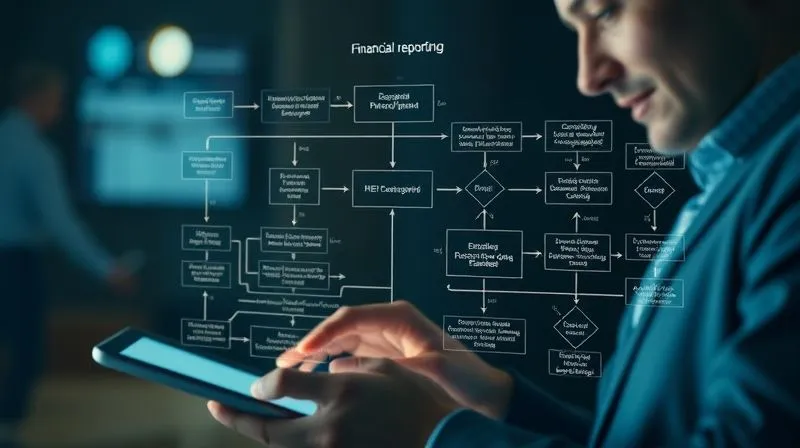
Begin by conducting a thorough audit of your current budget reporting cycle. This isn't about judgment; it's about objective analysis. Identify every single step, every data source, every person involved, and critically, every bottleneck. Where do delays occur? Where are errors most frequent? What data is manually transformed or re-entered?
Step-by-Step Audit of Your Budget Cycle
- Map the Workflow: Document every step from data collection to final report distribution. Use flowcharts or process diagrams.
- Identify Data Sources: List all systems (ERP, CRM, HRIS, GL, spreadsheets) where financial data originates.
- Quantify Time Spent: Estimate the time spent on each major task (data extraction, cleanup, consolidation, report generation, review).
- Pinpoint Bottlenecks: Where do processes slow down? Is it data availability, manual approvals, or complex calculations?
- Assess Data Quality: Evaluate the accuracy, completeness, and consistency of data from each source.
- Gather User Feedback: Interview team members involved in the process to understand their pain points and suggestions.
This foundational work is invaluable. It provides the clarity needed to identify the highest impact areas for automation and ensures that your automated solution addresses real problems, not just perceived ones.
The Tech Stack: Key Software for Budget Automation
The market for financial software has exploded, offering a bewildering array of tools. My advice: don't chase every shiny new object. Instead, focus on solutions that integrate seamlessly, scale with your needs, and most importantly, directly address the bottlenecks identified in your process audit. The right tech stack is the engine that will allow you to automate budget reporting to save 10+ hours monthly.
Cloud-Based Budgeting & Planning Software
These are purpose-built solutions designed for financial planning, budgeting, and forecasting. They offer robust data integration, workflow automation, scenario planning, and powerful reporting capabilities. Examples include Anaplan, Workday Adaptive Planning, and Vena Solutions. They are often ideal for mid-sized to large organizations that have outgrown Excel's limitations.
For instance, Anaplan provides a connected planning platform that allows for real-time collaboration and dynamic scenario modeling, revolutionizing how companies approach their budgeting cycles.
ERP Systems with Budgeting Modules
Many Enterprise Resource Planning (ERP) systems, such as SAP, Oracle, and NetSuite, include integrated budgeting and financial planning modules. The advantage here is native integration with your core accounting and operational data, eliminating many data transfer headaches. If you already use a comprehensive ERP, leveraging its built-in capabilities can be a highly efficient path.
NetSuite, for example, offers robust budgeting and forecasting tools directly within its unified business management suite, ensuring a single source of truth for financial data.
Advanced Spreadsheet Automation (Beyond Basic Excel)
For smaller businesses or specific niche tasks, you can significantly automate within advanced spreadsheet environments using tools like Microsoft Power Query for data extraction and transformation, or Google Sheets with its powerful scripting capabilities and add-ons. This isn't about ditching spreadsheets entirely, but evolving how you use them – transforming them from manual data entry points into smart, automated reporting engines.
| Solution Type | Key Benefit | Ideal For | Average Implementation Time |
|---|---|---|---|
| Cloud-Based FP&A | Purpose-built, real-time collaboration, scenario planning | Mid-to-large enterprises | 3-9 months |
| ERP Modules | Native data integration, single source of truth | Organizations with existing ERPs | 6-12 months (if new module) |
| Advanced Spreadsheets | Cost-effective, flexible, good for smaller scale | Small businesses, specific departmental needs | 1-3 months |
Automating Data Collection: The First Critical Step
The foundation of effective budget automation lies in clean, accurate, and readily accessible data. Manual data collection is where most of those 10+ hours monthly disappear. My focus here is always on creating a 'single source of truth' for financial data, minimizing manual intervention and maximizing data integrity.
Integrating Data Sources
Modern financial software excels at integrating with various data sources. This is typically achieved through Application Programming Interfaces (APIs) or pre-built connectors. The goal is to pull data directly from your General Ledger, ERP, CRM, HRIS, and other operational systems into your budgeting tool without human touchpoints.
- Identify Key Data Points: Determine exactly what financial and operational data is needed for your budget reports.
- Evaluate Integration Capabilities: Assess your chosen budgeting software's ability to connect to your existing systems.
- Implement APIs/Connectors: Work with IT or a consultant to establish stable, automated data feeds.
- Schedule Automated Refreshes: Configure daily, weekly, or monthly data refreshes to ensure your reports are always up-to-date.
- Set Up Data Validation Rules: Implement checks to flag anomalies or missing data during the automated ingestion process.
Automated Expense Categorization
Many modern solutions leverage AI and machine learning to automatically categorize expenses based on vendor, description, and historical patterns. This dramatically reduces the manual effort required to code transactions correctly, ensuring that your budget actuals are clean and ready for reporting from the moment they hit your system.
"Garbage in, garbage out – automation amplifies both. Invest in data quality upfront, and your automated reports will shine."
Designing Your Automated Budget Reports for Maximum Insight
Automation isn't just about speed; it's about delivering superior insights. A well-designed automated report goes beyond numbers; it tells a story, highlights trends, and empowers decision-makers. This is where the '10+ hours saved' translates into '10+ hours of strategic value created.'
Key Performance Indicators (KPIs) for Budgeting
Your reports should focus on the KPIs that truly matter to your organization. Don't just report every line item. Curate the data to provide actionable intelligence. Key budgeting KPIs often include:
- Budget vs. Actual Variance: The classic measure, but automate its calculation and visualization.
- Burn Rate: How quickly your organization is spending its cash reserves.
- Operating Cash Flow: The cash generated from normal business operations.
- Gross Profit Margin: Revenue minus the cost of goods sold.
- Customer Acquisition Cost (CAC): Relevant for sales and marketing budget effectiveness.
- Employee Productivity Metrics: For HR and operational budgets.
Visualizing Data for Impact
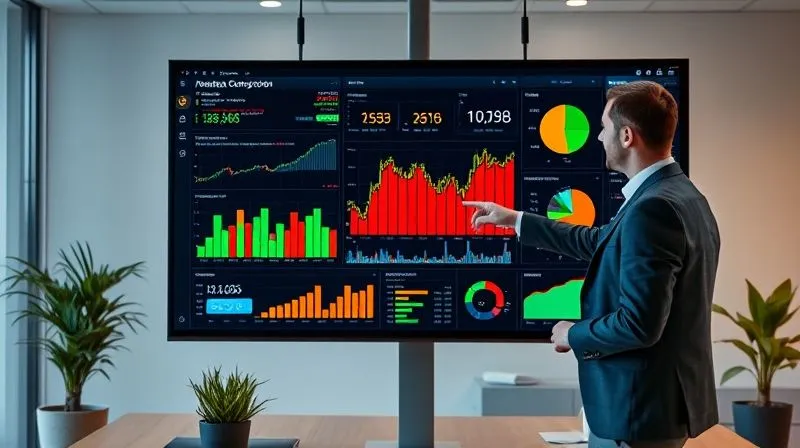
Automated reporting tools excel at creating dynamic dashboards. These dashboards should be interactive, allowing users to drill down into details, filter data, and compare different periods or scenarios. Visualizations like bar charts, line graphs, and heat maps make complex financial data immediately understandable.
As Harvard Business Review often emphasizes, effective data visualization is crucial for clear communication and impactful decision-making. Leverage your software's capabilities to create compelling visuals that highlight key trends and exceptions without requiring hours of manual chart creation.
Implementing Automation: A Phased Approach
Trying to automate everything at once is a recipe for overwhelm and failure. I always recommend a phased, iterative approach. Start small, achieve quick wins, and build momentum. This reduces risk, allows for learning, and ensures organizational buy-in. Remember, the goal is to consistently automate budget reporting to save 10+ hours monthly, not to achieve perfection on day one.
Case Study: EcoGrowth Solutions' Reporting Transformation
EcoGrowth Solutions, a mid-sized renewable energy firm, was spending over 20 hours monthly just compiling departmental budget vs. actual reports. Their process involved manually exporting data from their accounting system, consolidating it in a master Excel file, and then distributing individualized reports. Errors were common, and insights were always delayed.
They adopted a phased automation strategy. First, they implemented an automated expense tracking and categorization module, integrating it directly with their bank feeds. This immediately saved 5 hours monthly on data entry and reconciliation. Next, they rolled out a cloud-based FP&A tool for their procurement department, automating their purchase order tracking and budget variance analysis. This saved another 7 hours. The success of these initial phases built confidence, leading to a broader implementation across all departments. Within six months, they reduced their manual reporting time by over 70%, saving more than 12 hours monthly and significantly improving report accuracy and timeliness.
- Start with a Pilot Project: Choose one department or one specific report that is particularly time-consuming or error-prone.
- Automate Data Ingestion: Focus on getting clean data from source systems into your reporting tool automatically.
- Standardize Report Templates: Design and automate the generation of your most critical, recurring reports first.
- Train and Iterate: Provide thorough training to users, gather feedback, and continuously refine your automated processes.
- Expand Gradually: Once the pilot is successful, expand automation to other departments or more complex reports.
Overcoming Common Hurdles in Budget Automation
No significant transformation comes without its challenges. In my experience, anticipating and proactively addressing these hurdles is key to a smooth automation journey. It's not just about the technology; it's about the people and the processes.
Resistance to Change
People are naturally comfortable with existing routines, even inefficient ones. Expect some resistance. The solution lies in clear communication, demonstrating the benefits (e.g., saving them time for more interesting work), and providing comprehensive training. Involve key users early in the process to foster a sense of ownership.
Data Integrity and Validation
Automating bad data merely automates bad insights. Establish robust data governance policies and validation checks. Regular audits of your automated data feeds are crucial to ensure accuracy and prevent 'garbage in, garbage out' scenarios. Don't underestimate the ongoing need for data cleanliness.
Choosing the Right Solution for Your Scale
A small business doesn't need the same enterprise-level FP&A suite as a Fortune 500 company. Over-investing in overly complex software can lead to underutilization and wasted resources. Conversely, outgrowing a basic solution too quickly creates new problems. Choose a solution that is scalable and appropriate for your current size and anticipated growth.
For context, a study by Deloitte highlights that while 70% of finance leaders believe automation is critical, only 15% feel fully prepared to implement it, underscoring the need for careful planning and execution.
Real-Time Reporting and Forecasting: The Ultimate Goal
The true power of automation is realized when you move beyond historical reporting to dynamic, real-time insights and predictive forecasting. This is where finance truly becomes a strategic partner, not just a record-keeper. When you automate budget reporting to save 10+ hours monthly, those hours can be reinvested into forward-looking analysis.
Dynamic Forecast Models
Automated tools allow you to build sophisticated financial models that can be updated with fresh actuals at the click of a button. This means you can generate rolling forecasts weekly or even daily, providing a much more accurate and agile view of your financial future than traditional annual budgeting processes allow.
Scenario Planning with Automation
What if sales drop by 10%? What if raw material costs increase by 5%? Automated software enables rapid scenario planning. You can instantly model the impact of various business decisions or external events on your budget, allowing for proactive risk mitigation and opportunity identification. This is a game-changer for strategic agility.
Frequently Asked Questions (FAQ)
Q: What if my data is messy and inconsistent across different systems? A: This is a common challenge. Start by using data cleansing tools (often built into modern FP&A software or available as add-ons) and establishing strict data governance rules. Prioritize integrating your most critical data sources first, and gradually clean up the others. Automation will highlight inconsistencies, making them easier to address systematically.
Q: Is budget automation only for large corporations, or can small businesses benefit? A: Absolutely not! While large corporations have complex needs, small businesses can often see even more dramatic time savings relative to their resources. Simple cloud-based accounting software with budgeting features or advanced spreadsheet automation can provide significant benefits without enterprise-level costs. The principles remain the same, regardless of scale.
Q: How long does it typically take to implement budget automation? A: The timeline varies widely based on organizational size, complexity of existing processes, and the chosen software. A phased approach for a mid-sized company might see initial wins within 3-6 months, with full implementation taking 9-18 months. Smaller businesses might see significant automation within weeks or a few months. Focus on iterative progress, not a single 'big bang.'
Q: What about the security of my financial data with cloud-based automation? A: Reputable cloud-based financial software providers invest heavily in security, often exceeding the capabilities of on-premise solutions for most companies. Look for certifications like ISO 27001, SOC 1/2 compliance, and robust data encryption. Always review their security protocols and data privacy policies thoroughly before committing.
Q: Can I still use Excel at all, or do I have to completely abandon it? A: You don't have to abandon Excel entirely. Many advanced FP&A tools offer seamless Excel integration, allowing you to leverage its familiarity for specific ad-hoc analysis or data manipulation while using the core system for automated data aggregation, reporting, and workflow. The key is to use Excel for what it's best at (flexible analysis), not as a primary data repository or reporting engine.
Key Takeaways and Final Thoughts
The journey to automate budget reporting to save 10+ hours monthly is not just about adopting new technology; it's about transforming your finance function from a reactive record-keeper to a proactive strategic partner. By embracing automation, you unlock efficiencies that free up your team to focus on high-value analysis, forecasting, and strategic guidance.
- Diagnose First: Thoroughly map your current process to identify true bottlenecks.
- Choose Wisely: Select software that scales with your needs and integrates effectively.
- Prioritize Data Quality: Automated systems amplify both good and bad data.
- Phased Implementation: Start small, achieve quick wins, and build momentum.
- Focus on Insights: Design reports that tell a clear story and drive decision-making.
- Empower Your Team: Provide training and foster a culture that embraces change.
In my experience, the finance teams that thrive are those that continuously seek innovative ways to streamline operations and enhance strategic value. By implementing the strategies outlined here, you won't just save time; you'll elevate your financial reporting, empower better decision-making, and position your organization for sustained growth and success. The future of budgeting is automated, insightful, and within your reach.

Recommended Reading
- Unlock Crypto Tax Clarity: Can Tax Software Handle Crypto Transactions Effectively?
- 7 Reasons Clients Struggle with Financial Goals & How to Fix It
- IRS Notice CP2000: Your Ultimate Guide to Responding to Tax Discrepancies
- Fix Credit Report Errors FAST: 5 Steps to Accurate Scores
- 7 Pillars: Fortifying Your Open Banking API Integrations Against Threats





Comments
Leave a comment below. Your email will not be published. Required fields marked with *